
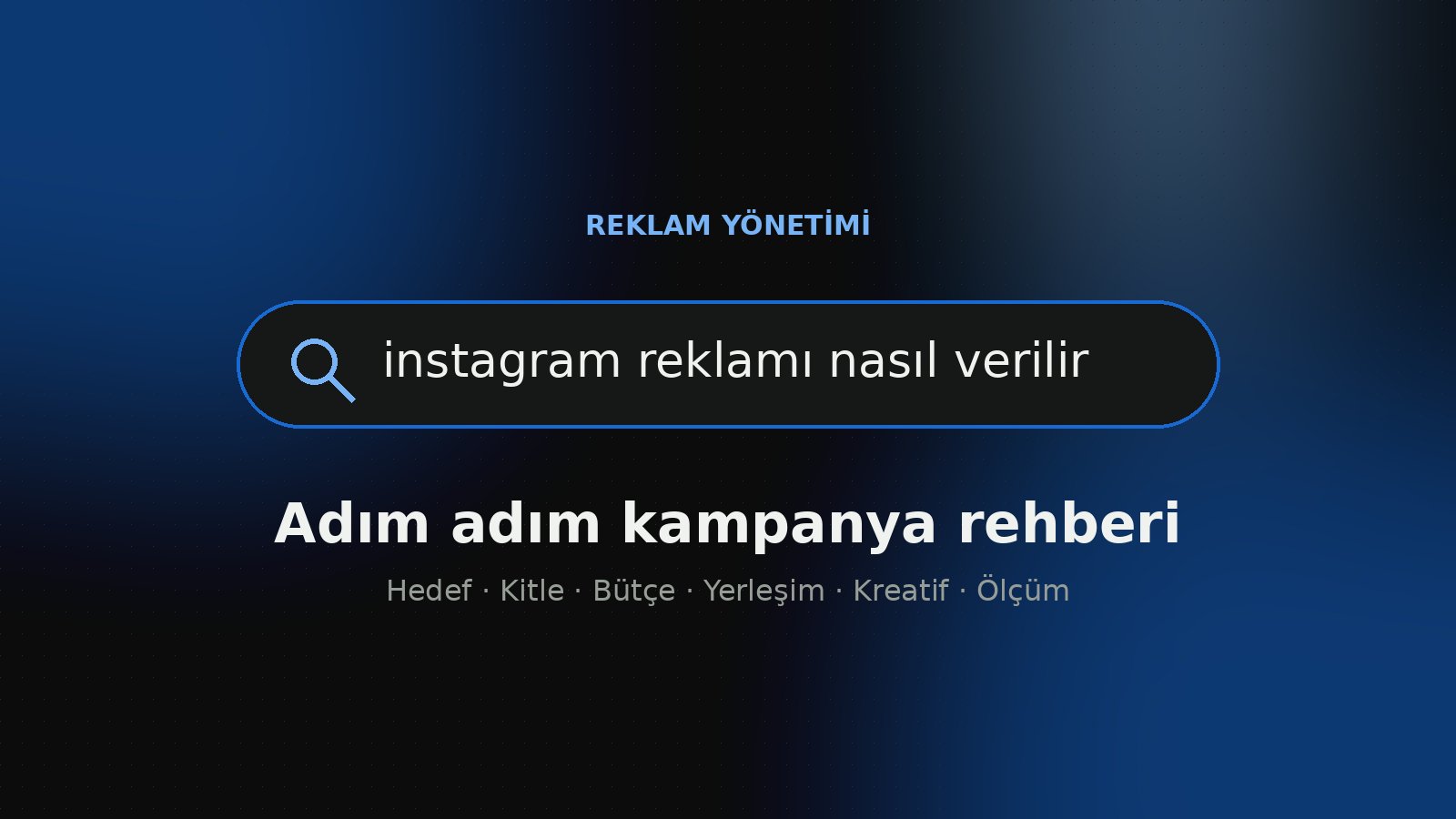
There are two ways to run Instagram ads: promote an existing post with the in-app “Boost” button, or build a campaign in Meta Ads Manager where you set the objective, audience, budget and placements yourself. Boosting can be enough for quick visibility; if you want a measurable result such as sales, leads or website traffic, Ads Manager gives you far more control.
In this guide we walk through how to run Instagram ads step by step, from preparing your account to reading the results. The goal is to launch your first campaign without wasting budget, knowing what you chose and why.
Before you advertise: account and setup
To run ads on Instagram, your account needs to be a professional account (business or creator). You won't see the “Boost” option on a personal account; switching the account type in settings takes only a few minutes.
If you plan to use Ads Manager, connecting these three pieces in advance will make things easier:
- Meta Business Portfolio (Business Manager): brings your Instagram account, Facebook Page and ad account under one roof, and is where you give team members access.
- Ad account and payment method: changing currency and time zone later can be a hassle, so choose them carefully during the first setup.
- Meta Pixel and Conversions API: if you want to measure results such as sales or form submissions on your website, tracking needs to be in place. Without measurement, the system can't learn what works.
How to run Instagram ads: a 6-step campaign setup
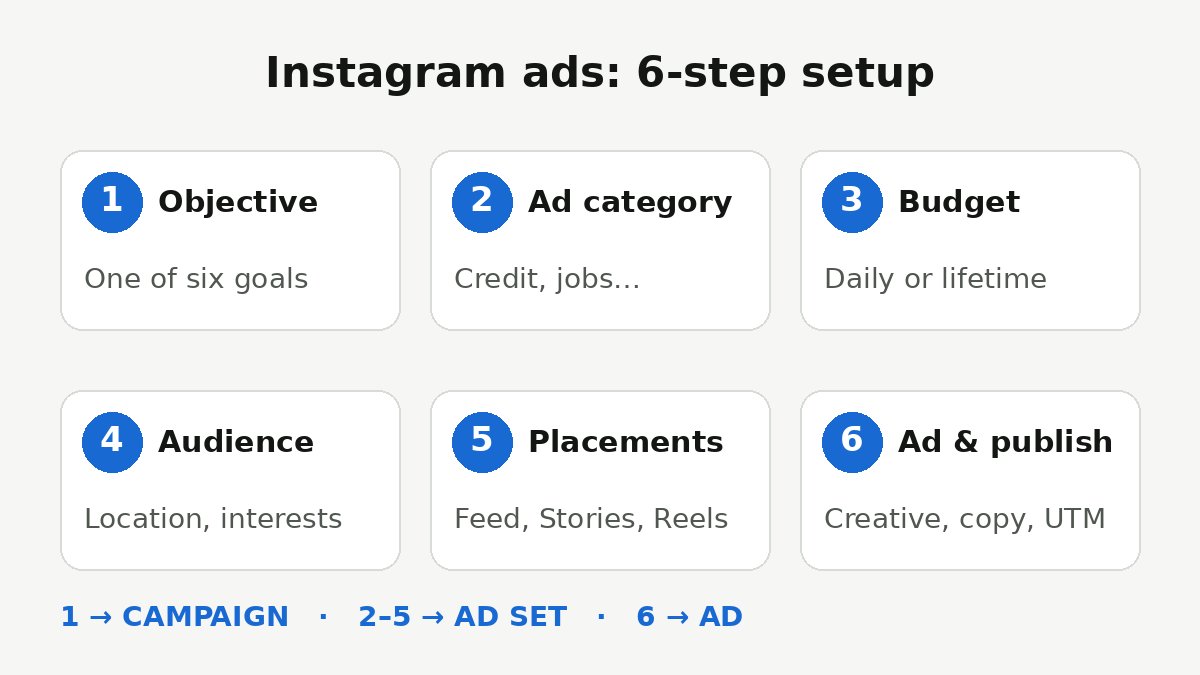
Everything in Ads Manager is built in three layers: the campaign (objective), the ad set (audience, budget, schedule, placements) and the ad (image, video, copy). Knowing this structure makes the steps below easier to follow.
- Choose your campaign objective. Meta currently offers six objectives: Awareness, Traffic, Engagement, Leads, App Promotion and Sales. You can also check Meta's guide to choosing an ad objective.
- Declare any special ad category. If you advertise in areas such as credit, employment, housing or political issues, you must declare it at campaign level; targeting options are narrowed for these categories.
- Set budget and schedule. You can choose a daily or lifetime budget. If you set the budget at campaign level, the system distributes it across ad sets; at ad set level, you stay in control.
- Define your audience. Start with location, age and interests, then add custom audiences such as website visitors or customer lists, and lookalike audiences based on them.
- Choose placements. Automatic placements spread your ad across Facebook, Instagram and other Meta surfaces. If you want Instagram only, pick Feed, Stories, Reels and Explore under manual placements.
- Create the ad and publish. Upload your image or video, write the copy, choose a call-to-action button (e.g. “Learn More”, “Shop Now”), add UTM parameters to your link and publish. The ad starts delivering once it passes Meta's review.
To make your links trackable, try the free UTM link builder; it lets you separate Instagram visits by campaign in your analytics tool.
Boost or Ads Manager?
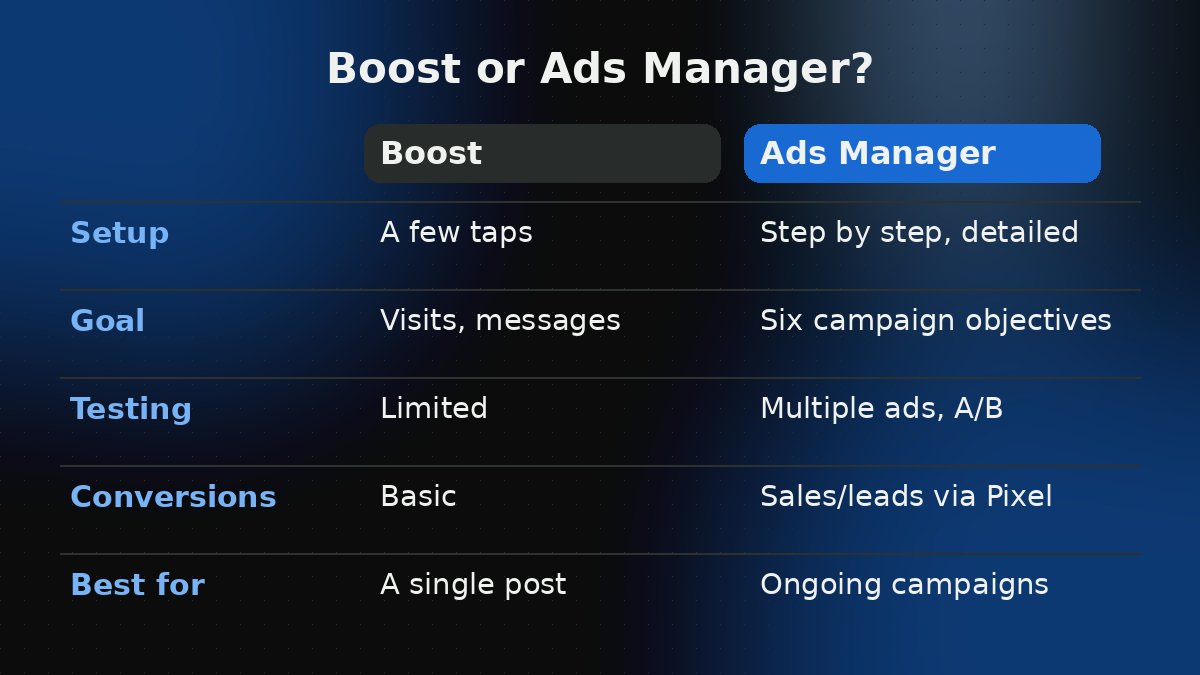
The in-app “Boost” option is handy for pushing a well-performing post to a wider audience in a few taps. You can choose profile visits, website visits or messages as the goal and set the audience and daily budget.
But once you want to run tests, compare several creatives, optimise for conversions such as sales, or use remarketing audiences, its limits show quickly. In short: Boost to promote a single post; Ads Manager for regular, measurable advertising.
How to set an Instagram ad budget
There is no fixed price for Instagram ads; what you pay is set through an auction. The main factors affecting cost are the size and competitiveness of your audience, your campaign objective, your industry, the season (especially sales periods) and the quality of the ad itself. An unengaging creative reaches the same audience at a higher cost.
A practical approach is to start with a small but meaningful test budget for the learning phase, then shift spend to the winning ad set based on early results. To roughly estimate a budget based on your target number of sales or leads, try our ad budget calculator.
Instagram ad creative that works
- Design for vertical. Reels and Stories work with full-screen vertical (9:16) content; for the feed, a 4:5 ratio takes up more of the screen. See the social media sizes page for exact dimensions.
- Use the first seconds. Show the product, the benefit or the problem right at the start; viewers should understand what they're seeing before they scroll.
- Plan for sound-off viewing. Captions and short on-screen text keep the message clear without audio.
- Look native. On Instagram, authentic visuals that resemble other posts in the feed are usually received better than content that looks overly “ad-like”.
- Test several variations. Put 2–4 ads with different visuals and copy in the same ad set and let the system find the best one.
Reading results and improving the campaign
Once your campaign is live, avoid frequent changes in the first days; the system needs time to learn. Judge results by your objective: reach and frequency for awareness, cost per link click for traffic, and cost per purchase and return on ad spend for sales.
Turning off weak ads and moving budget to strong ones, refreshing creatives regularly and improving the website experience (speed, mobile usability, a clear call to action) often deliver more than tinkering with targeting. If you're curious how Meta's AI tools are changing this process, take a look at our Meta Muse guide.
Frequently Asked Questions
Do I need a Facebook Page to run Instagram ads?
A professional Instagram account is enough to boost a post from the app. If you use Ads Manager and manage accounts in a business portfolio, linking your Instagram account to a Facebook Page and an ad account makes things easier.
How long does it take for an Instagram ad to go live?
Ads go through Meta's review before they start delivering. This is often quick, but it can vary depending on the ad's content and the account's history, so it's wise to leave some buffer when planning campaign dates.
What is the minimum budget for Instagram ads?
Meta applies a minimum that varies by objective and currency, and Ads Manager shows it during setup. What matters more is setting aside a test budget large enough to generate the results the system needs to learn.
Which campaign objective should I choose?
Choose the objective based on the result you actually want to measure. If you sell on your website, Sales; if you collect forms, Leads; if you're introducing your brand to a new audience, Awareness is usually the right start.
Set up correctly, Instagram ads can deliver measurable results even on small budgets; the difference usually comes down to objective choice, tracking and creative quality. If you'd like professional support with setting up, tracking and improving your campaigns, see the ad management service page or get in touch with Emirhan Koç.